The recordings, in one place: each board on its own screen, the admin panel in a browser, and a section at the end saying what kind of capture every badge on the site means. Nothing here is a mock-up.
One recording per board
Six of the nine boards, each filmed on its own screen running the same demonstration vault. The badge on every figure says how its frames were taken.
M5StickC Plus S3 — the settingsThe settings tree opened from the vault with one long press: its nine groups, the six rows of the interaction group, and the speed of the PIN dial stepped up, stepped back and saved.Assembled from captures of the device's own screen, in the order and at the times a live run shows them.
M5StickC Plus2 — one entryOne demonstration entry on the second Stick: its card with the account name and a masked password, the action bar stepping from typing to revealing, and the password shown under a warning before the device masks it again on its own.A recording of the device's own screen: the board sent every frame over Wi-Fi as it drew it, while a script worked its controls, so the clip runs at the speed the device really runs at.
M5Stack CoreInk — electronic paperThe same demonstration vault drawn in one bit on electronic paper: the list with its dithered service marks, the dial stepping down to an entry, the card's pager walking its sections, and the password unmasked under a held key.Assembled from captures of the device's own screen, in the order and at the times a live run shows them.
M5Stack CoreS3 SE — the panel, from the deviceThe device's own screen while it serves the admin panel: the vault, then the card with the join code and the name to open in a browser, then the vault again with the radio down. The panel is served over a wired link here, so the network behind the code is a placeholder.Assembled from captures of the device's own screen, in the order and at the times a live run shows them.
M5Stack Core2 v1.3 — typing with no keysThe on-screen keyboard on a touch board that has no keys: the device-name field opened from the settings tree, five characters erased one key at a time, the same five typed back, and the name saved.A recording of the device's own screen: the board sent every frame over Wi-Fi as it drew it, while a script worked its controls, so the clip runs at the speed the device really runs at.
LilyGO T-Deck Plus — searchingThe unlocked vault on the keyboard board: three typed letters narrow six demonstration entries to one, a key opens it, and another unmasks its password briefly before the device hides it again.A recording of the device's own screen: the board sent every frame over Wi-Fi as it drew it, while a script worked its controls, so the clip runs at the speed the device really runs at.
A walk through the admin panel
In development
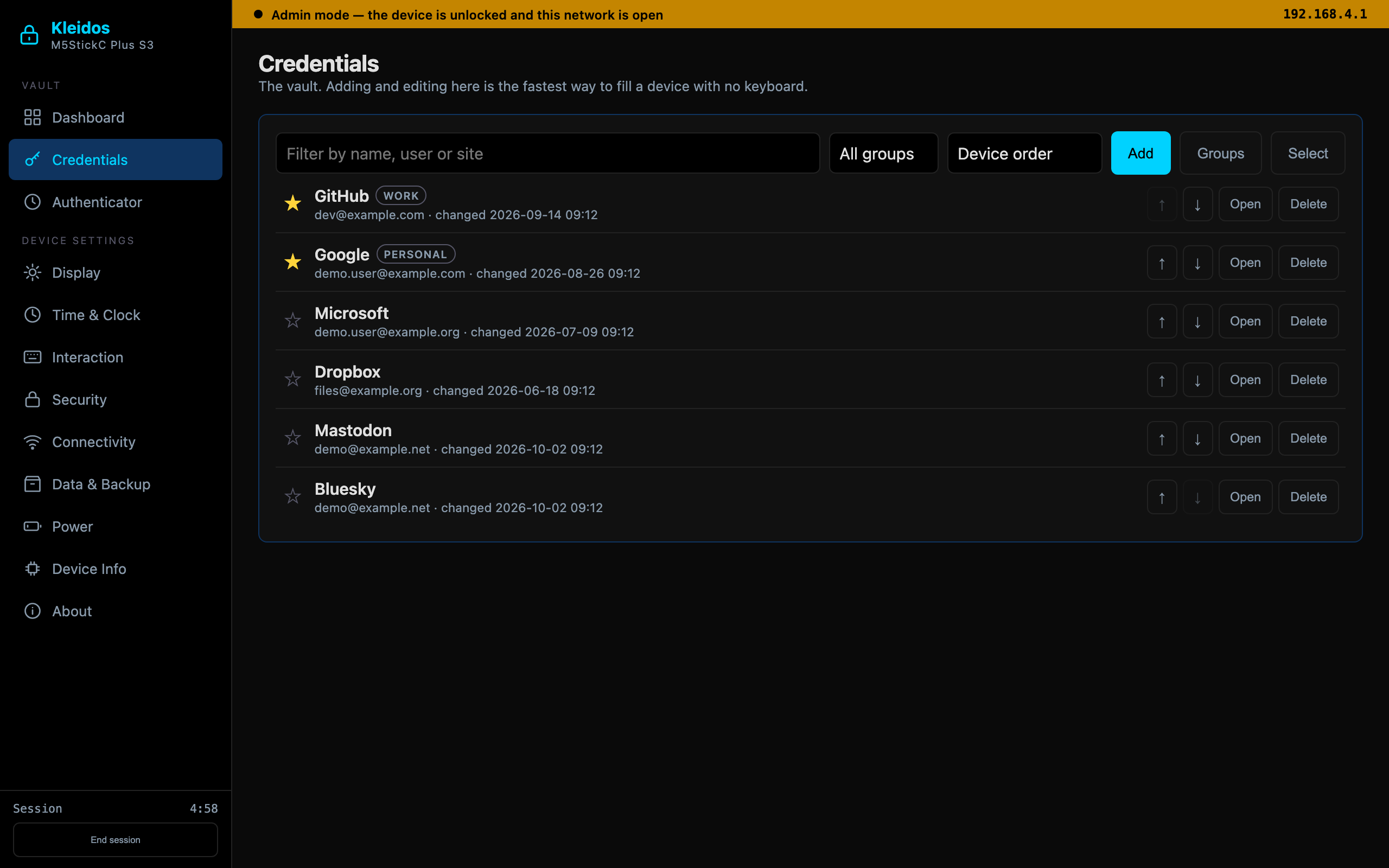
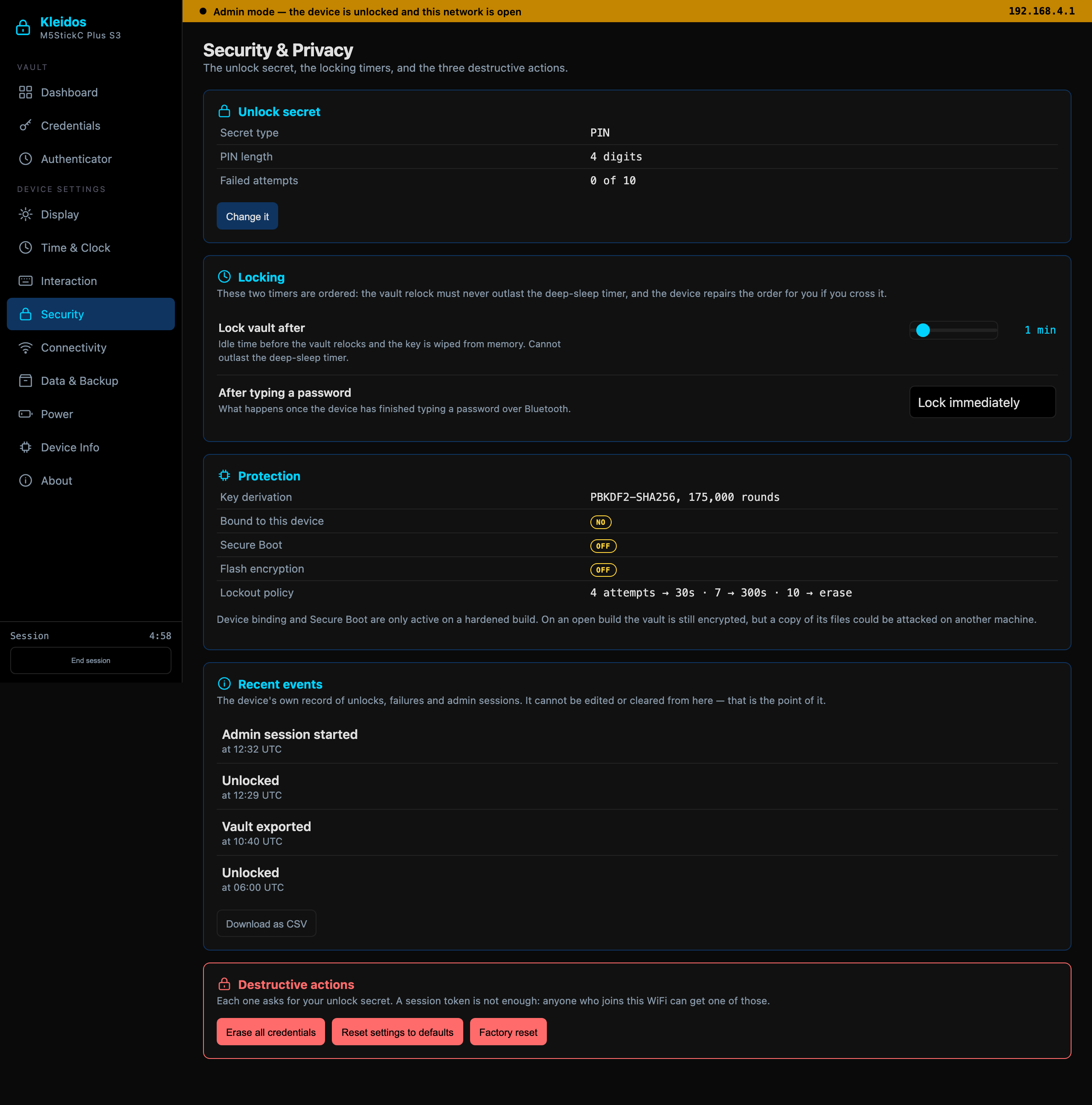
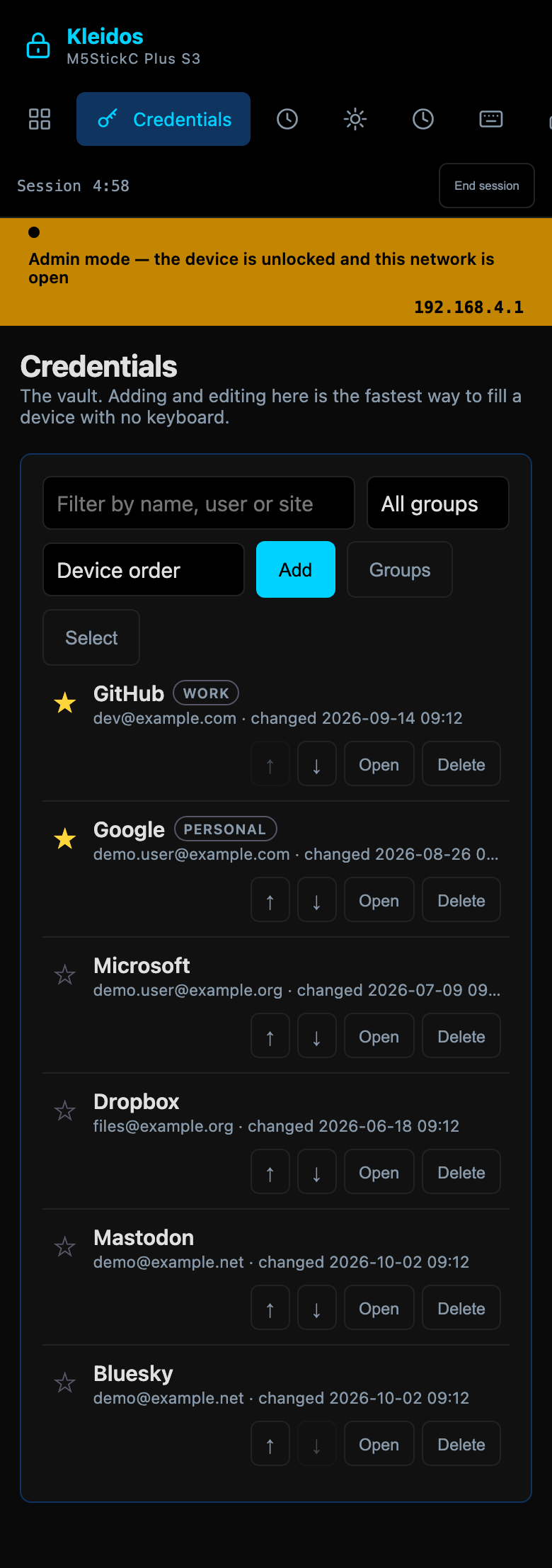
What the panel looks like while it is used: the dashboard, a credential being edited, the security page, and the same panel on a phone. What it is and what it refuses are on the front page.
One walk through the panel.A walk through the panel in a desktop browser: the dashboard, the six demonstration entries, one of them open with its password hidden, the authenticator, the security page and the backup page.A recording of the panel's own page in a browser, over a demo vault served from this computer rather than from a board.
I opened the panel's own page — the bytes the firmware serves — in a browser against a demo vault served from this computer instead of from a board, and recorded that. So the clip and the three captures above are the page itself over demonstration data, not a session on a board.
How I made these recordings
Every screen on this site came out of the thing it shows. I have mocked nothing up, reconstructed nothing and animated no idea, and each figure carries a badge saying which of these it is.
Live from the device
The board sent me every frame over Wi-Fi as it drew it, while a script of mine worked its buttons, keys or touch screen. The clip runs at the speed the device runs at, key derivation and screen redraws included.
Device captures
I asked the board for its own screen at each step and put the frames together in the order and at the times a live run shows them. Real screens of a real run; what I chose is how long a settled screen is held.
Device screen
One frame I took straight off the device's own screen, shown at its own pixels rather than smoothed.
Panel in a browser
The admin panel's own page — the bytes the firmware serves — which I opened in a browser against a demonstration vault served from this computer instead of from a board. It is the page, not a session on a board.
Drawing with device screens
Each board drawn to scale from the case I measured, carrying a capture of its own screen.
Every vault in these recordings is a demonstration vault: I made the entries, the accounts and the passwords up for the camera, on development builds, and no secret of mine or anybody else's appears in them.
Each published image and clip has a row in the repository recording its hash and the file it was made from, and the build refuses a figure whose row does not say how it was made.