Kleidos keeps your passwords encrypted on a small device and types them for you over Bluetooth, after you unlock it on the device itself. No app. No cloud. Nothing to sign up for.
Unlocking a device, from the locked screen to the vault list.An M5StickC Plus S3 wakes on its locked screen. A button is held four times, the arc sweeping to a different digit each time; the device derives the key, and the unlocked vault lists six demonstration services: GitHub, Google, Microsoft, Dropbox, Mastodon and Bluesky.A recording of the device's own screen: the board sent every frame down its USB cable as it drew it, while a script worked its controls, so the clip runs at the speed the device really runs at.
How it works
1
Step 1. Unlock it
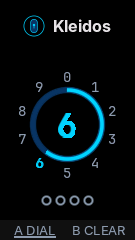
Enter your PIN on the device. The two-button models have no keypad: you hold a button while an arc sweeps through the digits and let go on yours, once per digit. A PIN is 4, 6 or 8 digits; the models with a keyboard take a passphrase instead, and the touch models let you choose either.
The PIN screen, mid-sweep. Captured from the device's own screen on a development build.
2
Step 2. Pick an entry
Scroll your vault and open an entry. It draws the service's mark when it recognizes the name, and the password stays masked until you ask for it, then masks itself again.
The vault list.On the touch model a finger drags the vault list down to the last of the six demonstration services, and two taps open it: the account is shown, the password still masked.A recording of the device's own screen: the board sent every frame down its USB cable as it drew it, while a script worked its controls, so the clip runs at the speed the device really runs at.
An entry, password hidden.On the Plus S3 the vault list is walked down two rows and one entry opens on its card: the username, the masked password, and a live one-time code with its countdown. The action bar steps from typing to revealing, and the password stays visible for three seconds under a warning before the device masks it again on its own.A recording of the device's own screen: the board sent every frame down its USB cable as it drew it, while a script worked its controls, so the clip runs at the speed the device really runs at.
3
Step 3. Let it type
Choose what to send. Kleidos becomes a Bluetooth keyboard, types it into the computer you paired, and shuts Bluetooth down again.
Choosing what to type.A demonstration entry is open. The chooser asks what to type (the pair, the username, or the password), the device advertises and waits for a computer, and the cancelled session shuts Bluetooth down again.A recording of the device's own screen: the board sent every frame down its USB cable as it drew it, while a script worked its controls, so the clip runs at the speed the device really runs at.
What the Bluetooth link does
It only sends. The device is a keyboard: the one thing the computer can write back is the keyboard-LED byte, and Kleidos does nothing with it.
Pairing is LE Secure Connections only, with a six-digit number you compare and confirm on the device. Legacy pairing is not compiled in.
Keystrokes leave only over a bonded, encrypted, authenticated link with a 16-byte key, and the link is checked again immediately before every report.
The device advertises under a private address that changes every 15 minutes.
A computer that is already paired cannot quietly pair again: the device refuses and asks you first.
Bluetooth is off until you start a session (sending an entry, pairing a new computer, first-time setup), and it is shut down when the device locks or sleeps.
4
Step 4. Manage it from a browser
To add, import or export entries, open the admin panel: the unlocked device puts up its own Wi-Fi network and shows a QR code. Scan it, and the panel is in your browser. The models with a keyboard can also edit entries on the device.
The device also holds two-factor codes. On the six boards with a clock chip they are on by default; on the three without one, the clock drifts through a sleep, so codes stay off until you turn them on and the device has had a fresh time sync, from a network, from the browser that opened the panel, or from a satellite fix.
Security on the device
The vault is a few files on the device's own flash. Everything below is about what those files are worth to someone who takes them.
How your PIN reaches the records
PIN or passphraseTyped on the device itself, and stored nowhere.
PBKDF2-SHA256Over this vault's own random salt: 175,000 iterations on the ESP32-S3, 40,000 on the classic ESP32, about two seconds either way.
Key-encryption keyChecks the HMAC on the wrapped vault key in meta.bin, then unwraps it. A new PIN rewraps only the vault key, and no record is touched.
Vault keyYields the working keys through HMAC-SHA256 under fixed labels: one that encrypts and one that authenticates. Neither is ever written to flash.
Each recordA version, a 16-byte IV, a 32-byte HMAC tag and the AES-256-CBC ciphertext. The tag is checked before anything is decrypted.
Every entry is encrypted and authenticated
A record is encrypted with AES-256-CBC and authenticated with HMAC-SHA256, encrypt-then-MAC. The tag is verified before anything is decrypted, and it covers the record's type, its slot and a counter, so a record cannot be moved to another slot, read as another type, or rolled back on its own. Password entries are all padded to the same 4 KB, so their size says nothing about what they hold.
Your PIN is never stored
The key is derived from your PIN with PBKDF2-SHA256 over a random per-vault salt: 175,000 iterations on the ESP32-S3 boards, 40,000 on the classic ESP32 boards, each sized to roughly a two-second unlock. What the device stores is a verifier, not the PIN. Encryption, authentication and the unlock check use three separate keys. The two counts differ because the two chips compute the hash differently: the ESP32-S3 batches the work on its own hashing peripheral, about 8.8 microseconds an iteration; the classic ESP32 runs a hash written for this project out of fast internal memory, about 39. The same two seconds buy four times the iterations.
Lockout, then wipe
From the fourth wrong secret the device locks for 30 seconds, from the seventh for 5 minutes. The tenth erases the vault, every Bluetooth bond and the admin network's identity. The attempt is written down before the secret is checked, so cutting the power does not buy a guess back.
Keys are wiped when the device locks
Locking and sleeping both stop the radios and then erase the keys and the decrypted lists from memory. The buffers that held them are overwritten on purpose, not just released.
Production builds are quiet
The release and hardened builds compile no serial console and no log calls at all, and a crash prints nothing: no banner, no registers, no backtrace. The chip's own mask-ROM boot line is all that remains, and it says nothing about your vault. Passwords, usernames and PINs are kept out of logs by design. What takes the place of a backtrace is a ring of crash addresses, readable only through the authenticated admin panel. It holds no stack contents, because a task stack at the moment of a crash can hold the PIN.
Hardened build: in development
In development
On the 8 MB boards the hardened build adds Secure Boot v2, flash encryption and encrypted settings, and ties the vault key to the individual chip, so a copy of the flash cannot be attacked away from the device. The secret it is tied to comes from a different mechanism on each family: on the classic ESP32 boards it is a random thirty-two-byte value kept in encrypted settings, and that is written and tested; on the ESP32-S3 boards it is a key inside the chip's own fuses, burned from the computer in a separate step before the first hardened boot. That step exists and no board has been through it yet, which is why I call the whole build unfinished.
Everything in bulk (adding entries, importing from another manager, exporting an encrypted backup, updating the firmware) happens in a browser, on a network the device itself puts up. The device is the web server: nothing goes through an outside service. Four of the boards have a card slot, and on those the device can write and read the same encrypted backup by itself, with no browser and no network.
The panel is in development. It is already where entries are added, imported from another manager and exported as an encrypted backup, and it is still changing: where the device draws each service's mark, the panel prints the name as text.
It opens only from an unlocked device, and only on the device's own network: WPA3-SAE with hash-to-element, protected management frames required, no WPA2 fallback, one client at a time.
By default every session draws a new 20-character password and shows it as an ordinary Wi-Fi QR code on the unlocked screen. You can choose to pin one instead.
Inside that encrypted link the panel speaks plain HTTP, with a per-session token, a Host check that blocks DNS rebinding, an idle timeout and per-address rate limits. There is no TLS on top: the Wi-Fi encryption is the transport boundary.
Wiping the vault, deleting an entry or forgetting all pairings asks for your unlock secret again and counts toward the same lockout. A wrong one always draws the same refusal, whether it was merely wrong, the one that started a lockout, or the one that spent the last attempt.
Bluetooth and Wi-Fi never run at the same time. Every Bluetooth session has one owner that stops it, and the panel is reached only after that stop: a test in the repository pins which surface owns each session and where it ends.
Updates, on the 8 MB boards: you upload firmware from the panel behind a second password shown on the device. An image built for another board, or an older version, is refused, and an update that boots but never confirms itself rolls back on its own.
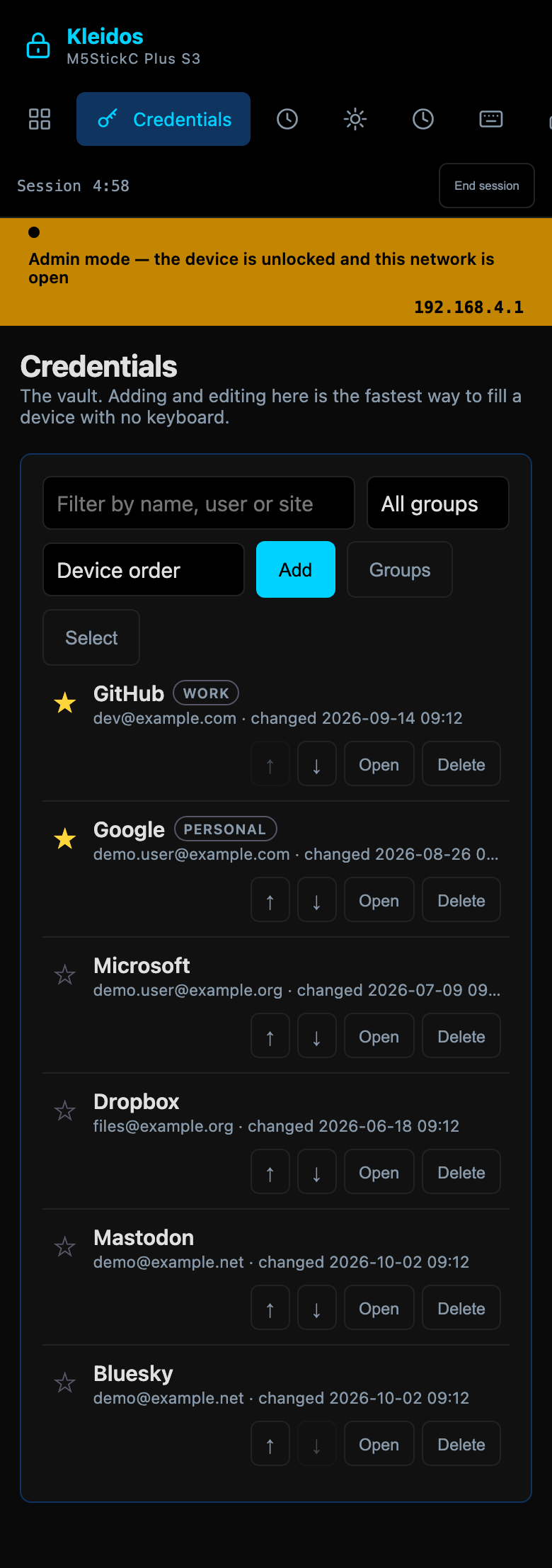
The vault in the panel: the same six demo entries the device shows.
I opened the panel's own page (the bytes the firmware serves) in a browser against a demo vault served from my computer instead of from a board, and captured it there. The walkthrough and the rest of the captures are with the other recordings.
The devices
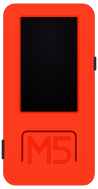
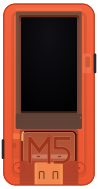
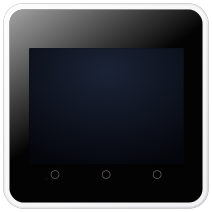
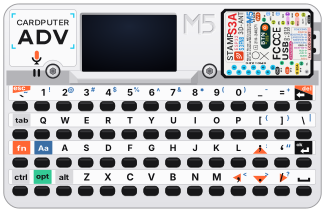
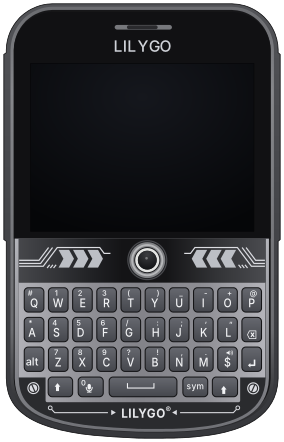
One firmware across nine boards, from a 24 × 48 mm stick with two buttons to a 73 × 115 mm unit with a keyboard. Which board you use changes how you unlock it and how much the screen can show; it does not change the vault. Of the four ESP32-S3 boards, only the CoreS3 SE also carries a clock chip.
Scale
M5StickC Plus S3
Chip
ESP32-S3
Input
Two buttons
Screen
135×240
Case
24×48 mm
Clock
Internal, drifts through a sleep
Card slot
No: backups go through the panel
Capacity
250 credentials, 40 two-factor codes
Hardened build
In development
M5StickC Plus2
Chip
ESP32
Input
Two buttons
Screen
135×240
Case
24×48 mm
Clock
Battery-backed chip
Card slot
No: backups go through the panel
Capacity
100 credentials, 40 two-factor codes
Hardened build
In development, chip revision 3.0 or later
M5StickC Plus 1.1
Chip
ESP32
Input
Two buttons
Screen
135×240
Case
24×48 mm
Clock
Battery-backed chip
Card slot
No: backups go through the panel
Capacity
100 credentials, 30 two-factor codes
Hardened build
Not available (4 MB flash)
M5StickC Plus SE
Chip
ESP32
Input
Two buttons
Screen
135×240
Case
24×48 mm
Clock
Battery-backed chip
Card slot
No: backups go through the panel
Capacity
100 credentials, 30 two-factor codes
Hardened build
Not available (4 MB flash)
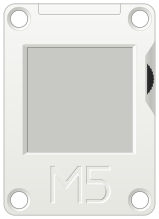
M5Stack CoreInk
Chip
ESP32
Input
Wheel
Screen
200×200
Case
40×56 mm
Clock
Battery-backed chip
Card slot
No: backups go through the panel
Capacity
100 credentials, 30 two-factor codes
Hardened build
Not available (4 MB flash)
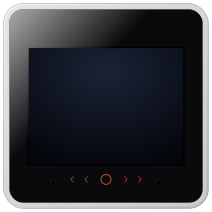
M5Stack CoreS3 SE
Chip
ESP32-S3
Input
Touch screen
Screen
320×240
Case
54×54 mm
Clock
Battery-backed chip
Card slot
Yes: it writes its own backups
Capacity
500 credentials, 50 two-factor codes
Hardened build
In development
M5Stack Core2 v1.3
Chip
ESP32
Input
Touch screen
Screen
320×240
Case
54×54 mm
Clock
Battery-backed chip
Card slot
Yes: it writes its own backups
Capacity
500 credentials, 50 two-factor codes
Hardened build
In development, chip revision 3.0 or later
M5Cardputer ADV
Chip
ESP32-S3
Input
Keyboard
Screen
240×135
Case
84×54 mm
Clock
Internal, drifts through a sleep
Card slot
Yes: it writes its own backups
Capacity
250 credentials, 40 two-factor codes
Hardened build
In development
LilyGO T-Deck Plus
Chip
ESP32-S3
Input
Keyboard
Screen
320×240
Case
73×115 mm
Clock
Internal, drifts through a sleep
Card slot
Yes: it writes its own backups
Capacity
500 credentials, 50 two-factor codes
Hardened build
In development
I do not recommend one. The product is the firmware, and the grid above is what the choice is actually made on.
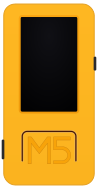
Each board is drawn from its own measured case and screen dimensions, not from a photograph. Pictures and recordings of the real screens are on the recordings page.
Screens are shown in English. The device itself also speaks Spanish, French, German and Italian.
Kleidos is an independent project, not affiliated with M5Stack or LilyGO. Product names are their owners' trademarks.
Pre-release, version 0.1.0. I have not had it audited by anybody independent.
I have not gotten the hardened build working end to end on a device yet.
On the open builds, someone who copies the flash can try PINs offline. A longer PIN (6 or 8 digits), or a passphrase on the models with a keyboard or a touch screen, slows that down; only the hardened build's chip binding stops it. Keep the device with you.
The admin panel trusts whoever joins its Wi-Fi network. Joining needs the one-time password on your unlocked screen, so scan its QR code yourself, in private.
Only the hardened build checks firmware signatures.
Follow and subscribe
There is nothing to install and nothing to sign up for. Pick whichever of these you already read.
There is no repository to watch yet: I am keeping the source private while I prepare the first release, so the feed and the two accounts are the whole of it.
Support it
I pay for this out of my own pocket, and you have just scrolled past the receipt.
The nine boards above are development hardware. I bought every one of them to make Kleidos run on it, and each one needed its own panel driver, its own power controller and its own layout on a screen of its own size; five of them are filmed on the recordings page. That is the expense. The hours explain why it has taken this long, but they are context, not an invoice.
Nothing here is for sale. There is no release, there is nothing to download, and the repository is not open yet. If you want to support the project anyway, these are the two places:
A donation gets you nothing: no tier, no reward, no early build, no priority on anything, and no name on a list. I would rather it stayed a donation than became a purchase.
And if you would rather spend money on hardware than on me: the boards come from M5Stack and from LilyGO, who each sell them from their own shop, and they also turn up at electronics and general retailers, Digi-Key and Amazon and AliExpress among them. When there is a release, flashing it is free. I sell nothing and I take nothing from anybody who does.